You bought a great HD TV a few years ago, but maybe you’re like me, and you don’t actually watch TV. I’ve been connecting my computer to my TV for as long as I can remember (back in the days I used one of the few graphics cards that allowed to output to composite and S-video), and I’ve used it to turn my Television into a smart TV, in order to watch youtube, Netflix, etc…
But after a while, I realized that a computer might not be the best approach for that: computers are quite expensive and/or noisy, they do much more than you’d like a Smart TV to do, they use lots of electricity, and turning them on and off takes too long. So for the past few months, I’ve been looking for a better solution.
Too bored to read the entire article? Check our tutorials here, and hardware reviews here
The problem
Regular TV sucks. I want to be able to watch my digital movies, youtube, Netflix, read email and browse my favorite websites from my couch, using my big TV screen. What is the most convenient way to do this?
The solutions
Below I am quickly investigating a few generic solutions that allow to make a smart TV out of a dumb TV. Of course, I can’t summarize the full content of this website in one post, but below I’ll quickly introduce the solutions I’ve tried. All of them have their pros and cons, for more details on each solution, well, browse the site and enjoy 🙂
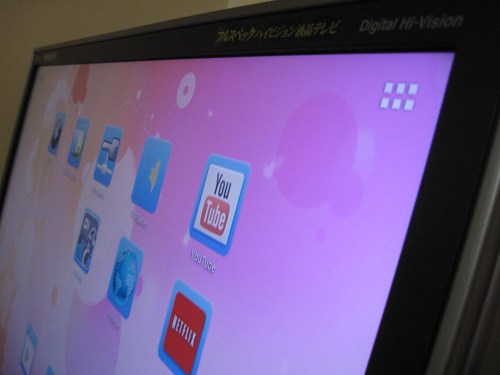
- Plug a computer to your TV: Most TVs have a VGA entry port, and if they don’t, most computers have an HDMI output port nowadays. The big advantage of this solution is that nothing will beat a PC in terms of performance. You’ll be able to play high quality games, as well as watch all movie formats. Some issues with using computers as your smart TV are the power consumption, the price, and the noise. Laptops, ultrabooks, or solutions such as the macbook air will minimize the energy consumption as well as the noise, but are relatively expensive if your only goal is to do some basic multimedia. They also take some time to boot, and when it comes to TV, you want things to work immediately.
- Plug a tablet to your TV: Tablets come at reasonable price, have a relatively low power consumption, and most of them can be plugged to an HDMI port on your TV. Controlling the tablet from your couch might become a problem though. Also, since I like to optimize power usage, I am not very happy with the tablet solution since the screen might be constantly ON and I don’t need that
Related:
Streaming Netflix on your Kindle Fire HD: watch Netflix on your Kindle from outside the US
- Buy an actual smart TV: This might sound like a stupid answer for people who are looking for how to turn a regular HD TV into a smart TV. But maybe that’s the simplest solution if you’re not looking for something complicated, and if you think it’s time to replace your previous TV. We have a list of recommended Smart TVs here.
- Use your videogame console: The Xbox One, PS4, XBox 360, the PS3, and the Wii U all have fairly decent multimedia functionality. In particular the PS3 and PS4, with its Blu-Ray support, Netflix and Amazon instant video, are an interesting approach. The Wii U also seems to be headed towards being a multimedia device, and it’s definitely something we will discuss. Spoiler alert: I believe the Blu Ray format is dead, and video game consoles, just like computers, use more power than they’re worth if your goal is not to play high end video games.
related:
how to watch Netflix from outside the US on your PS3
Xbox One: Watch Netflix from outside of the US (Europe, Asia, Canada, etc…)
Got a new PS4 but you live outside of the US? Here’s how you can access American Netflix
- Use a dedicated, cheap box or dongle that will connect to your TV and make it a smart TV: After using the “computer” solution for years, and the “PS4” solution a bit lately, getting a dedicated dongle is the solution I came up with. There are *lots* of solutions in this area. People who want some brand name might want to go with the Apple TV (although it is extremely limited, and what you probably want is actually a jailbroken one, but these are quite expensive on eBay). There really is lots of choice, and it is difficult to make a good decision. I’ve personally been using The Cloudnet Go CR11/S (an Android Set top box) these days and I really recommend it (see my review here), but let me state the obvious: what you need depends on your goals with the smart TV.
related:
That’s the gist of existing solutions. This site will be investigating most of them, and try to help you with choosing the best way to turn your TV into a smart TV. As I’ve said above, there are many valid solutions, and the “perfect” solution depends on what you are looking for. As far as I’m concerned, I’ve found a solution that cost me less than $100 total (including accessories), and unless you are looking for advanced gaming functionality, I strongly suggest to aim for $200 or less. But hey, stay tuned on this site, we’ll investigate many solutions, including more expensive ones 🙂
Comments
37 responses to “How to make your TV a smart TV”
Hi You have something really good.
pl. help me set up a smart tv on my old tv.for as low price as possible
Man. It Worked. But Someone Turned It Off And Not Working. Can You Do Anything To Help Me On That. It’s A Samsung Flat Screen And The Capacitor Is Messed Up. It Worked The First Time But There Is No Hope Turning It Back On. Unless You Have Anything For Me Try Or Remedy’s For Me To Try. Thank You For This Help. It Has Helped Me Alot. Thank You And Hit Me Back If You Have Anything Else For Me To Try.
Simply bring home a micromax smart box ( specially to make smart TV) which costs around rs. 4500. It works on Android 4.1
The Micromax has a single core Cortex A5 CPU, which is equivalent to the older MK802 from last year (The design itself looks like it’s an mk802 clone). I don’t recommend it, compared to the MK802 III or this years’s Quad cores such as the MK802 IV. Having owned a first generation MK802, I can tell you they are not good enough compared to what’s available today for the same price.
[…] How to make your TV a smart TV […]
hmmm How to make your TV a smart TV and one of your answers were Buy a Smart TV. Well i never though of that….
Can you record tv and set to record certain shows using he mk802 or micro max?
please help me to convert my tv in a smart tv
If I have all the necessary ports – HDMI, USB, VGA, SCART – and want to connect a dongle such as the MK802 III as recommended, will that dongle have the necessary software (or download, then operate) to make my normal TV a Smart-TV through the correct port? Much like plugging a DVD player into a SCART and using the DVD player’s remote to control it. I guess this Q sounds very dense but I want to be sure I am buying the correct solution. As I understand it, the dongle will pick up my Wi-Fi connection and when I go to Source on my TV, I find the dongle and then control the dongle through an app on my Samsung Galaxy Tablet or buy a special remote.
these are odd questions but I hope you can help me out a bit
1) are you still able to watch cable if you connect a computer to your tv?
2) could you connect a computer to your smart tv and have all three functions of watching basic cable channels, using the apps of smart tv like youtube, and check your email since you have a computer connected to your smart tv
3) is it even worth buying a smart tv?
of course you can. just use the INPUT button on the tv or on the remote to change from thing to thing. i have a dvr as component1, a dvd as component2, tv is tv, and my laptop is vga.
With the MK 802 III, do I need to purchase a key board or remote control for this to be able to browse the apps etc or will it work with the TV remote ?.
Hi I have a few questions.
Picture this…..I have a TV, Wii console and PVR, but my internet connection is upstairs, so I would only be able to connect to my Wifi modem through the MK802 III (I’m presuming?)
1. Will the MK802 allow me to connect my Wii console to my wifi through the TV or would i have to plug the MK802 into my Wii console?
2. And…should i be plugging the MK802 into the TV or the PVR? What’s the best option I wonder? Anybody have any ideas?
Thanks
Sarah
For 138$ you can have the latest powerful mini pc : Minix Neo X7
You have all the ports that you need and more
For more info Geekbuying.com
1) that’s the reason you made article, redundant
2) a tablet is a small computer, so pointless and redundant
3) not a conversion, we all know we can replace our tvs
4) valid option but if you’re not a gamer then it’s expensive
5) valid option
so that’s 1.5/5 or 3/10
Simplest Solution:
Download android on Flash Memory Stick and plug it into TV and you will get a smart TV.
Unfortunately, us senior citizens need more detailed instructions. Do you know the link where this can be done?
I like your solution, how do I go about accomplishing that?
Duh that wont work,, how will the android pick up your wifi to then go online ?….
Please advise the specific android software to download. Will I be able to use my iPad to control? Thanks!
Wow, great article, interesting reading. The possibilities are amazing. I wish I knew who could give me advice on how to turn a 3g/hsdpa huawei dongle, that normally connects to a pc via usb port, into a media streaming receiver that I can plug into my lcd tv’s usb port?
If that makes any sense. Then I could stream from my pc, android phone, etc etc, direct to my lcd tv, without the need for hdmi cables. That would be awesome but would most likely involve converting the firmware on my usb 3g dongle to accept streaming, sort of like Chromecast? Then again, after that whole encoding mission(if that is what it takes), it would make more sense to just buy a Chrome Cast dongle. I just hope Google makes it possible to stream local content to their Chrome Cast dingle’s without the need for internet connection/data. High speed data is expensive in my country and streaming one good movie from the internet would cost a fortune.
It would be so much easier just to stream my media from my pc to the tv via a dongle, no internet and ridiculous charges involved. Maybe they planned it that way,and if that is is the case, I see google moving towards an Apple like ‘Pay to use your own device’ paradigm. And that would suck. Actually that would be Natzi of them, literally taking away the freedom in order to make ‘Money’. I certainly hope that never happens and if it does, I pray there is a hacker out there to create custom frimware to enable local media streaming.
Anyways, long story short, I do not have a chrome cast dongle and want to hack a normal hsdpa/3g capable usb dongle to accept the streaming of movies while plugged into the usb port of my lcd tv. Anyone know how to do this?
Hi,
Anyone help me to convert my Tv to Smart Tv…..??????
This seems interesting but how would i be able to control everything?? Like surf the web go to youtube etc…??
Good point with the dongle. Got any ideas on how to plug a phone into an older tv? You know the ones withe the three a/v jacks and a cable outlet.I’ve been real puzzled I’ve tried to find an av banana adapter anyway I’m out of ideas
I just saw an ad on TV for a NOWTVBOX for £9.99 but it did not say where I could buy it ??
I have sharp lc-32le340m can I convert it with my Android ics device
why can’t we just buy a smart wi-fi blu ray and do the same
Roku!
no mention of Chromecast?
We have a full article on the chromecast here: http://makesmarttv.net/if-you-think-chromecast-is-cheap-and-revolutionary-youve-not-been-paying-attention-for-the-past-12-months
It is a very decent device, but only does half of what we’d like it to do
“Buy an actual smart TV”
Need to learn how to bake cookies? Go buy a box of cookies…
Raspberry Pi, enough said.
Agreed! Raspberry Pi can run XBMC, which you can then stream unlimited movies and TV shows. Enough said!!!
I have a old HD tv not flatscreen not Hdmi just HD want to turn it into a smart TV. Right now I am using the Roku 2 and it works fine but I want the added features of browsing the internet checking my email and other features like that I can do on my Android phone but on my tv. Everywhere I look theres so many different products but none specify if it will work on regular HD tvs that do not have a HDmi hookup. Help please! My email is catdoginva@gmail.com
Long story short, without an HDMI port you’re going to have a bad time with any of these devices. There are reasonably cheap TV’s with HDMI nowadays. Check our list here: http://makesmarttv.net/the-best-tvs-money-can-get-in-2014-from-499-to-5999/
Using a jailbroken wii, anything is possible…
Hi. I just wanna ask i bougjt a hdmi cable but when im connecting it to my led tv. Its not reading it. Can you help me with this? Will it be convenient if im gonna buy a wifi dongle? Thank you for your answer.